Trendwell
Health trends,
not isolated metrics.

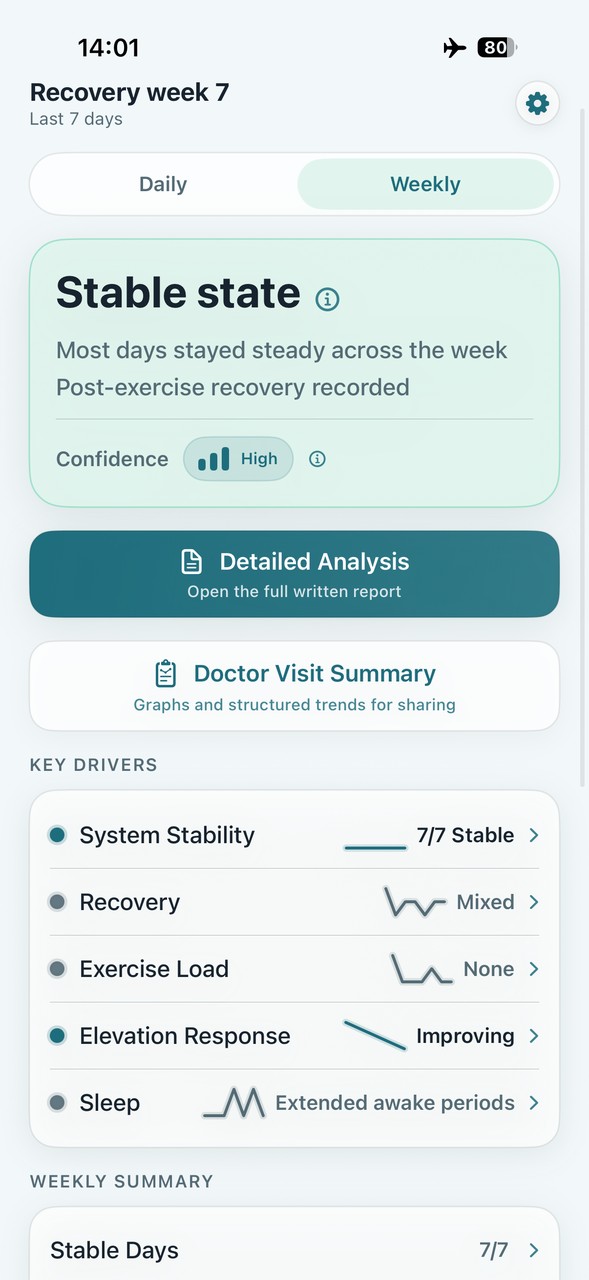
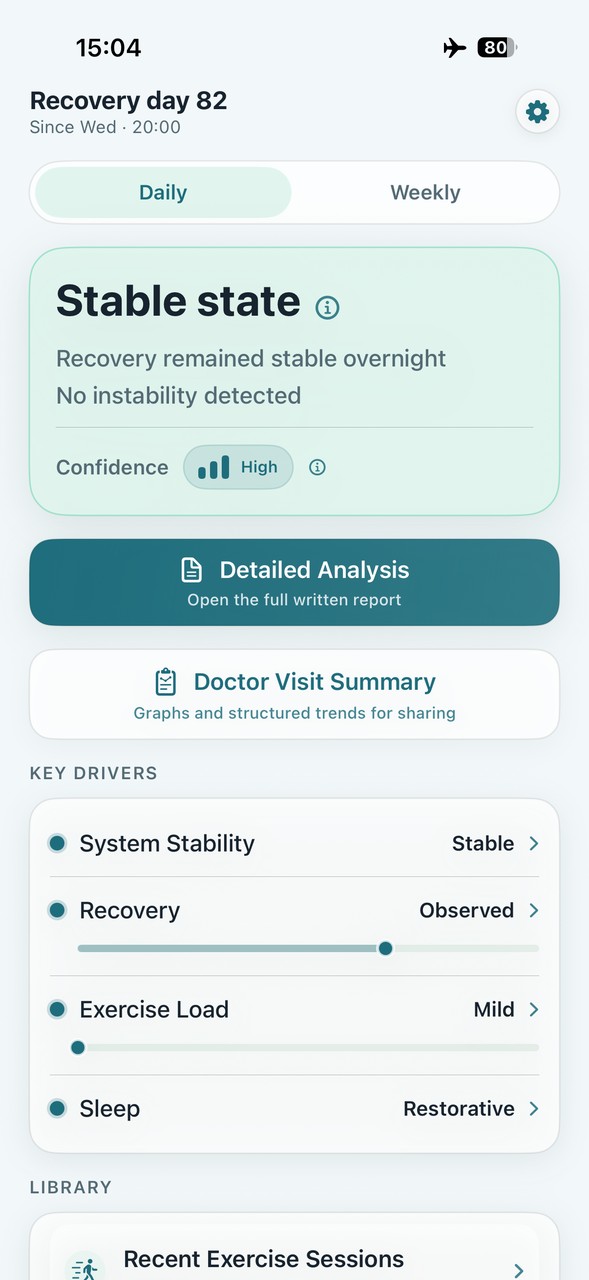
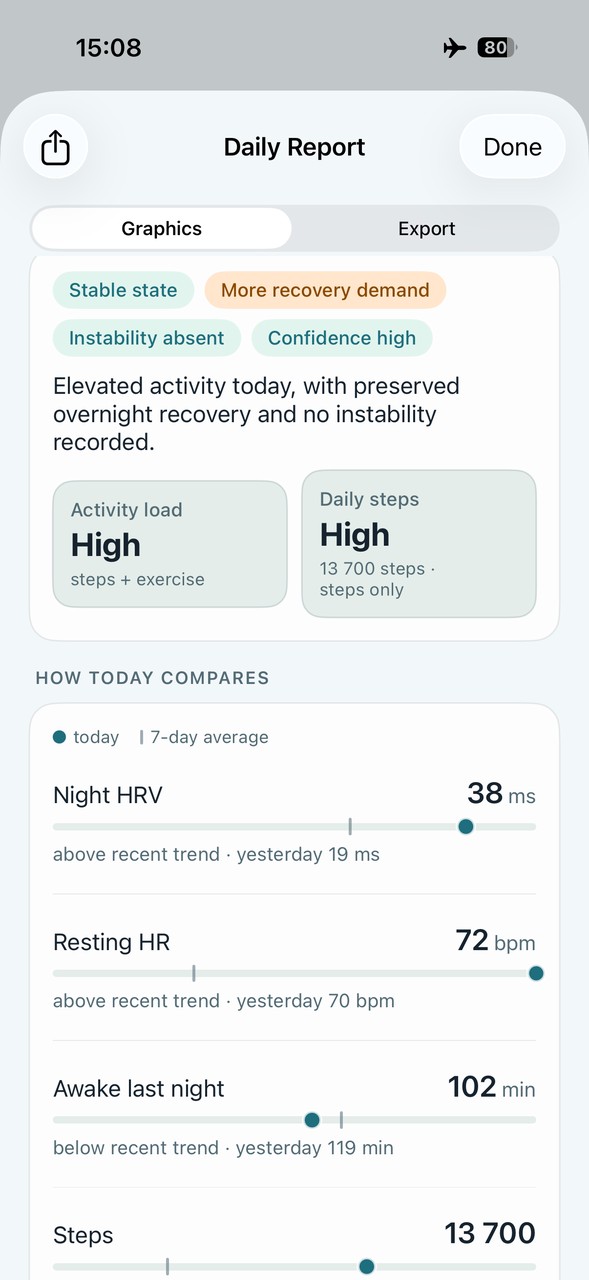
Trendwell turns available Apple Health data into structured daily and weekly summaries of how your body is responding. Instead of focusing on isolated metrics, it evaluates direction, stability, and pattern over time. No scores. No coaching. No targets.
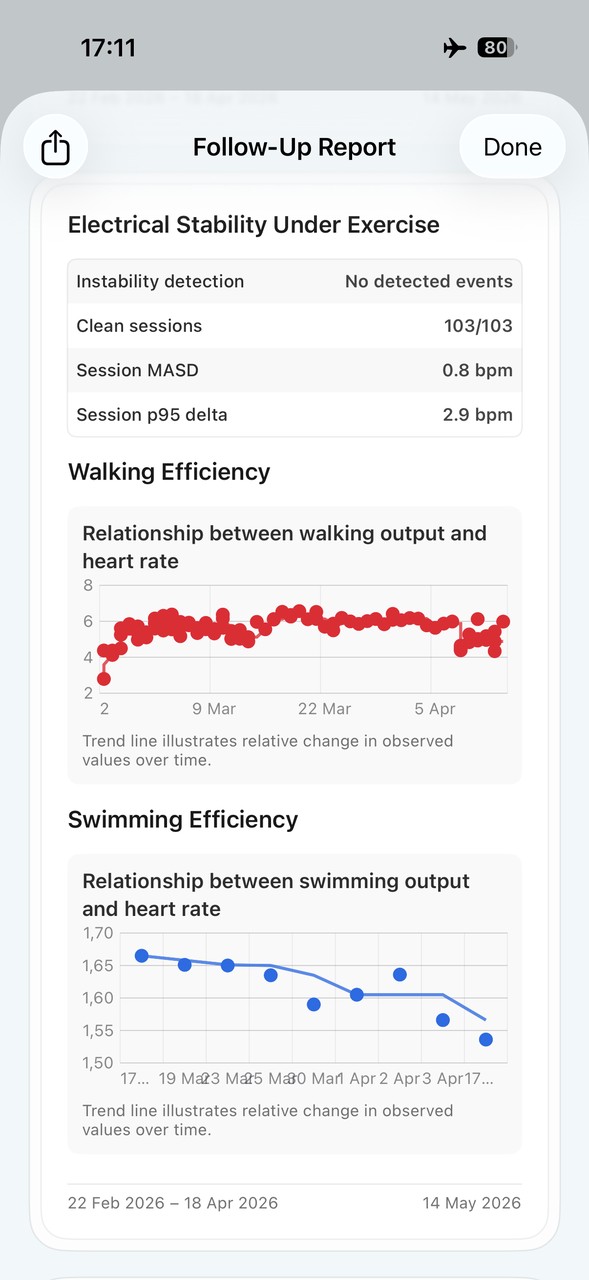
Heart rate, HRV, sleep and activity are organized into consistent daily and weekly interpretations, highlighting recorded patterns over time. Exercise is evaluated in context — heart rate against terrain and elevation, not as an isolated number. Supported instability findings depend on eligible recordings, with coverage and data-quality limits kept visible. The output is a structured summary designed for review and comparison over the reporting period.
A Recovery Start Date gives tracking a personal reference point. You can choose a procedure date or another period you want to review. Existing Apple Health history may support reports, but the setting does not create missing measurements or guarantee complete history. Daily and Weekly reports still have their own reporting windows.
State, not score
Stable, variable, or shifted — described before any raw detail. No arbitrary number between 0 and 100.
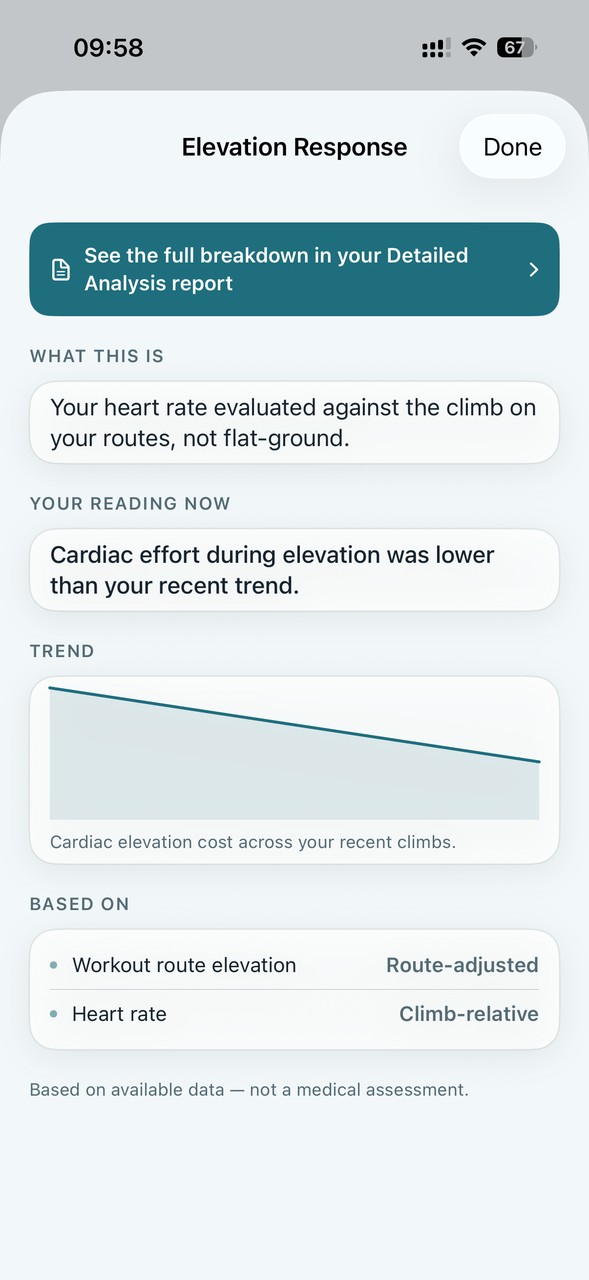
Elevation-aware heart rate — because uphill is different
Recorded heart-rate patterns are viewed alongside route elevation, so terrain remains part of the context.
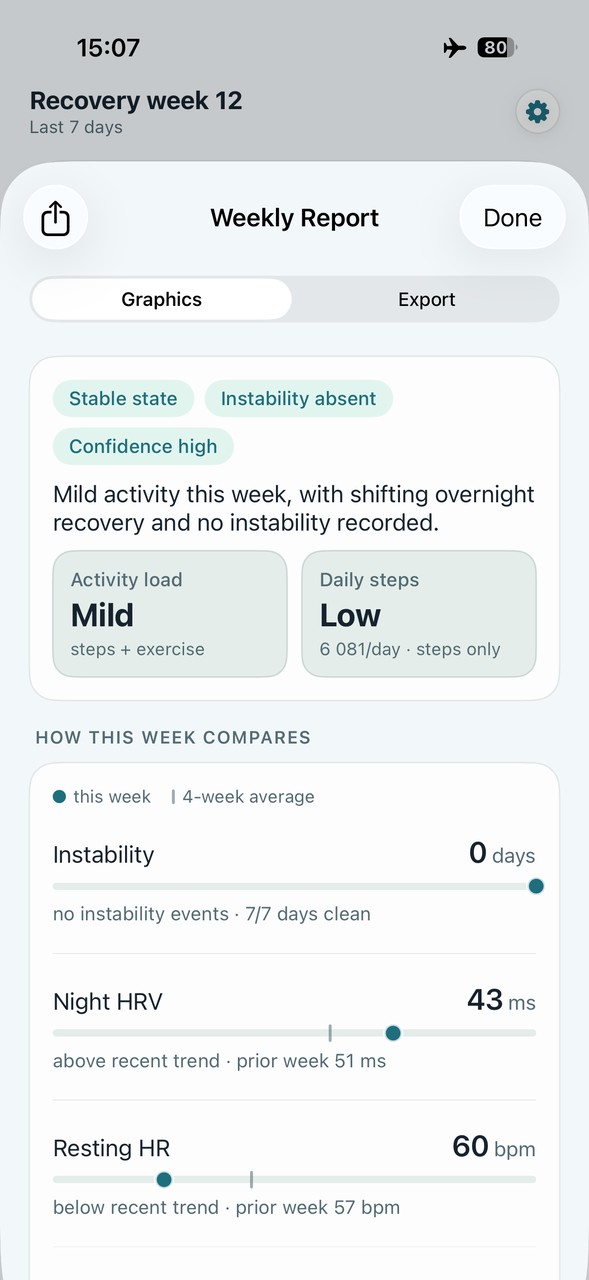
Instability findings and coverage
Supported findings are based on eligible recordings. Missing samples and coverage limits remain visible.
Weekly consistency — not just today
State consistency is tracked across the full week — stable 7 of 7 days, or where variability occurred and when. Not just a single daily snapshot.
Deterministic — same input, same output
Trendwell's classification is entirely rule-based. The same health data always produces the same structured output — no random scoring, no model variance, no drift over time. Every conclusion is directly traceable to the source values that produced it. This makes comparing across time meaningful: a shift in classification reflects a real change in the data, not a change in the model's interpretation. The structured, labelled output is compatible with external analysis tools and designed to remain consistent across the full observation window.
Requires iPhone with iOS 18.6 or later. Apple Watch recommended for complete reports — wear it consistently, including during sleep.
Based on available data — not a medical assessment.