Klarhet Studio

Signal
over noise

Five focused apps. One principle: turn complex information into something clear, useful and honest, without false authority.

Available now

The original Klarhet apps.

LocalBrief

LocalBrief

Local news, your language

Every morning, what matters near you — filtered for your situation, delivered in the language you read.

◎ Local language in — Your language out.
◎ Filtered for why you're there, not just where
◎ Ready every morning. Sources cited where available.
Trendwell

Trendwell

Health trends, not isolated metrics

Tracks how your body is trending over time. Not isolated numbers — the direction you're heading.

◎ Apple Watch records heart rate, HRV, sleep and activity — Trendwell organizes available data into daily reports
◎ State, not score — stable, variable, or shifted
◎ HR evaluated against the actual route — not a flat-ground average
◎ No coaching. No targets. Just what your data shows.

Coming soon

Three focused apps. Your data stays yours.

Each app does its core work on your Apple devices, with selected Apple services supporting the features you choose.

Coming Soon

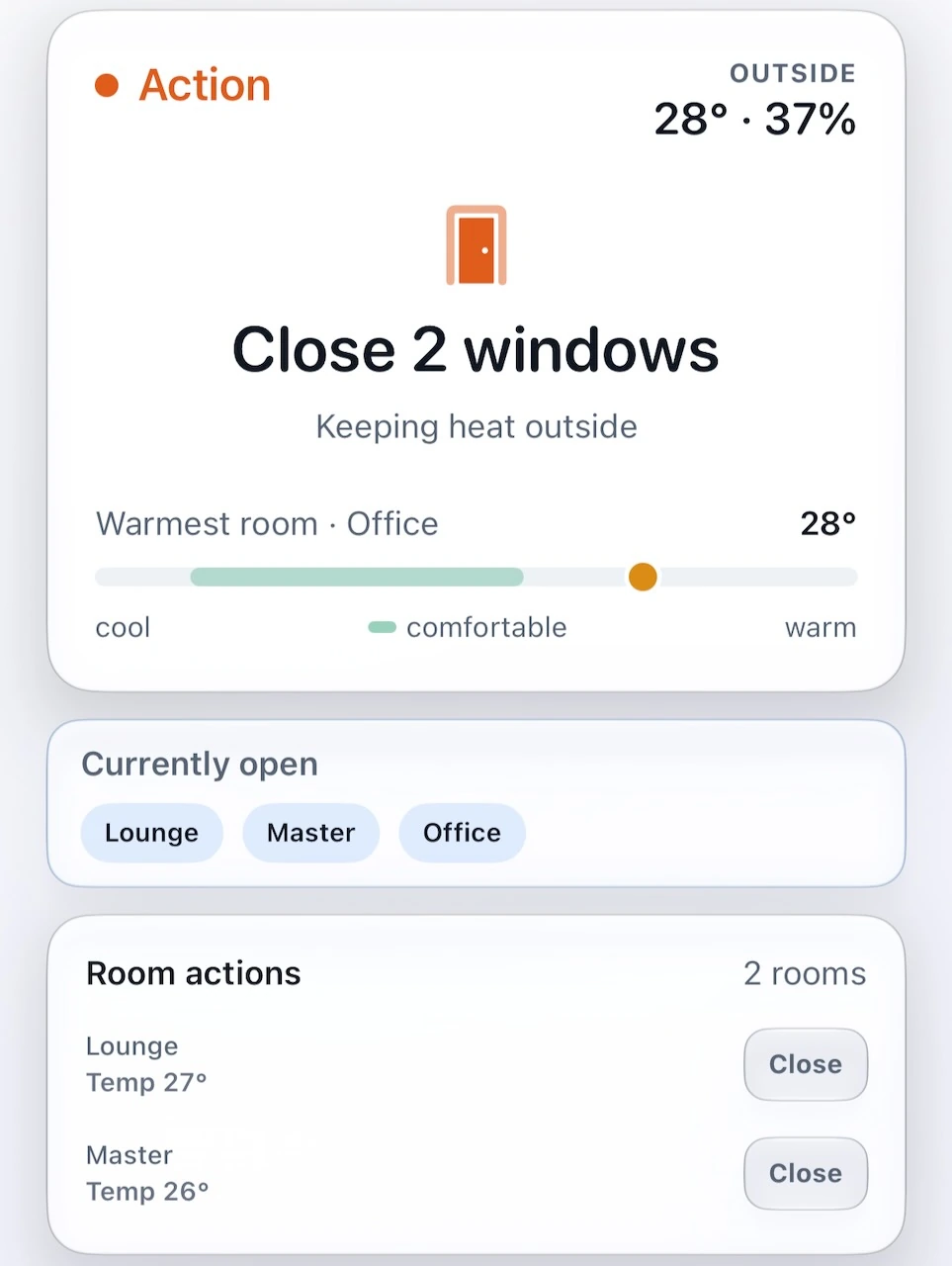
Home Air Intelligence

Your sensors, one clear action

Know when to open, close, ventilate, cool, dry or wait. Home Air Intelligence turns your home's readings into an explainable next move.

Sensor readings and recommendations are processed on your device, with optional home-configuration sync through your private iCloud account.

ExploreApp Store coming soon
Coming Soon

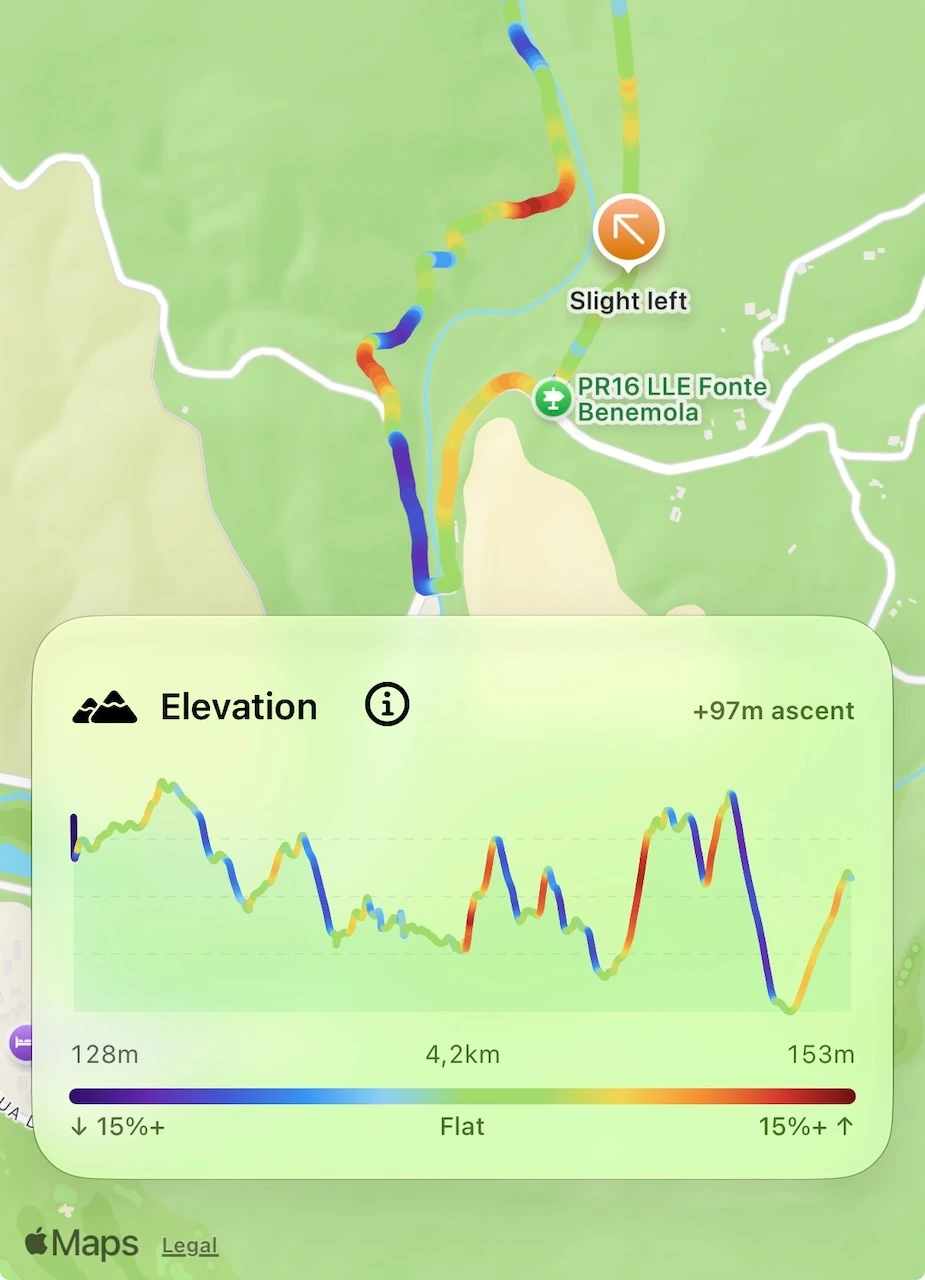
GPX Track Navigator

Keep every turn in sight

Import a GPX track and follow clear progress, elevation and turn guidance on iPhone and Apple Watch.

Your saved routes, workouts and live location stay private and remain on your devices.

ExploreApp Store coming soon
Coming Soon

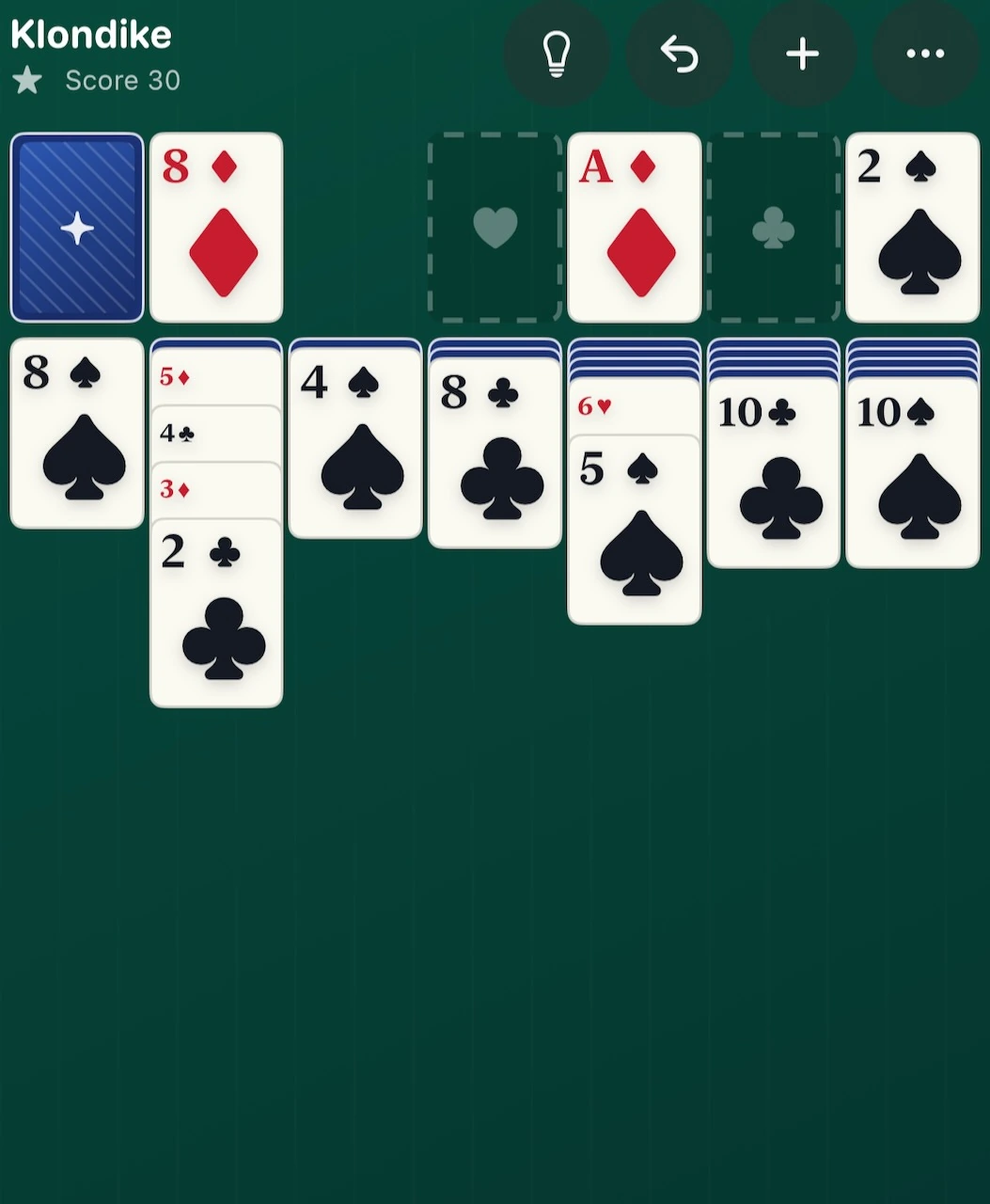
Winnable Klondike Solitaire

Every deal has a way home

Classic Klondike with verified winnable deals, Daily Challenges and exact game codes to share on iPhone, iPad and Mac.

Private, ad-free play on your devices, with optional progress sync through your private iCloud account.

ExploreApp Store coming soon

Useful apps with privacy at the centre, focused data use and clear boundaries. That is privacy by design at Klarhet Studio.

LocalBrief

Local news,
without the language barrier.

LocalBrief identifies what is currently affecting daily life in your location — utility disruptions, transport alerts, official notices, local events — and delivers it as a structured operational brief in your language, every morning. Not news summaries. Situations: what has changed, whether it is new or ongoing, and what it means for your specific use case. The app always searches in the native language of the location — Portuguese sources, French sources, Japanese sources — and delivers in whatever language you've set. The two are fully independent.

Users define their local context through home area, municipality, region, and country. LocalBrief organises issues into a clear three-tier briefing — Critical, Important, Contextual — with tagged categories and source counts. Four modes adapt the filtering logic to match the user's relationship with a location: Resident, Tourist, Business Trip, and Somewhere Else — a property, a family home, or a city you care about. What the locals know — in your language, without needing to read theirs.

Local language in — Your language out.

Sources are always retrieved in the language native to the location. The briefing is always delivered in your preferred language — fully decoupled, no manual translation needed.

Ongoing Issues

Ongoing issues are tracked across days in the History tab — not repeated daily. You see what changed, not the same item again.

Morning briefing

The brief is prepared daily and waiting for you before your day starts.

Sources cited where available

Items cite the original-language source where available. Read further. Verify anything. LocalBrief doesn’t ask you to take its word for it.

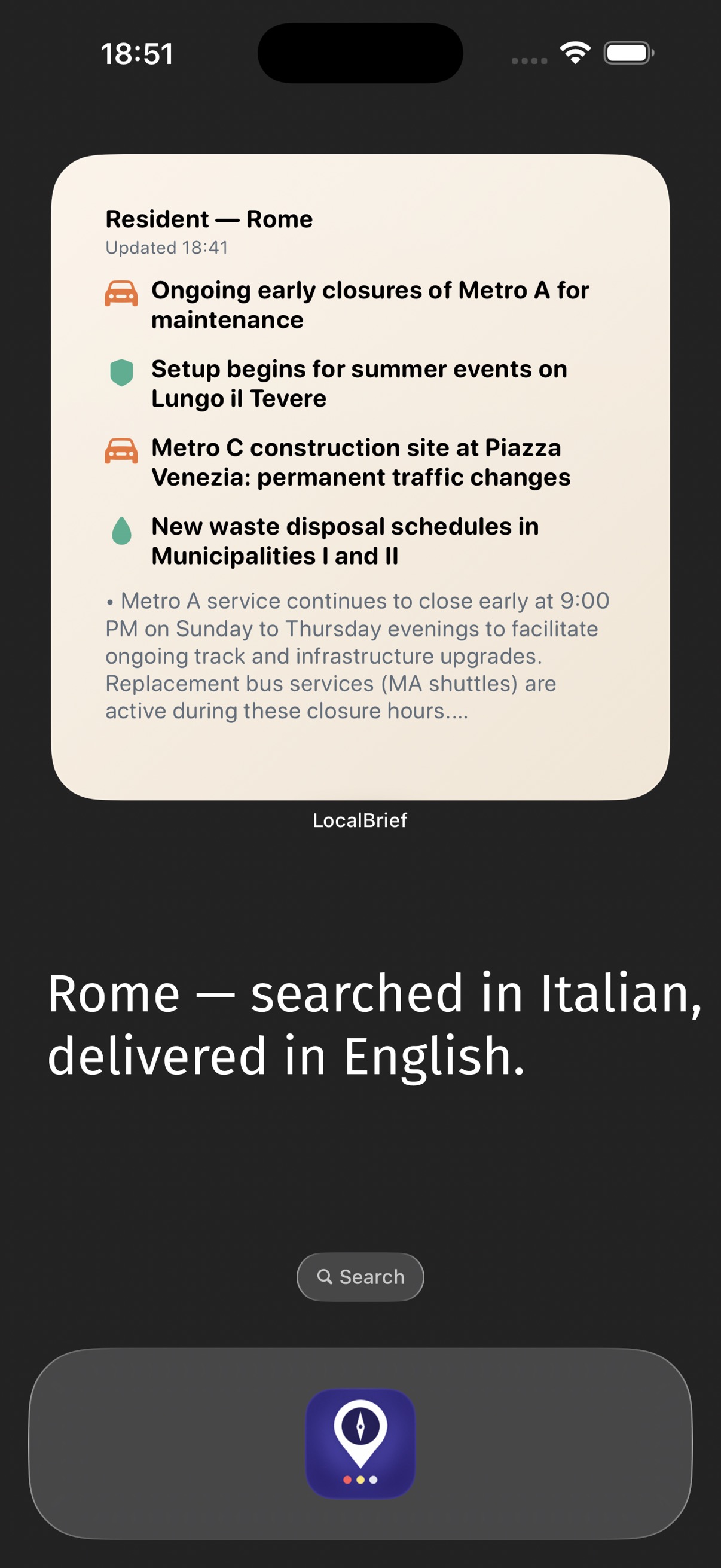
Rome widget — searched in Italian, delivered in English.

Rome — searched in Italian, delivered in English.

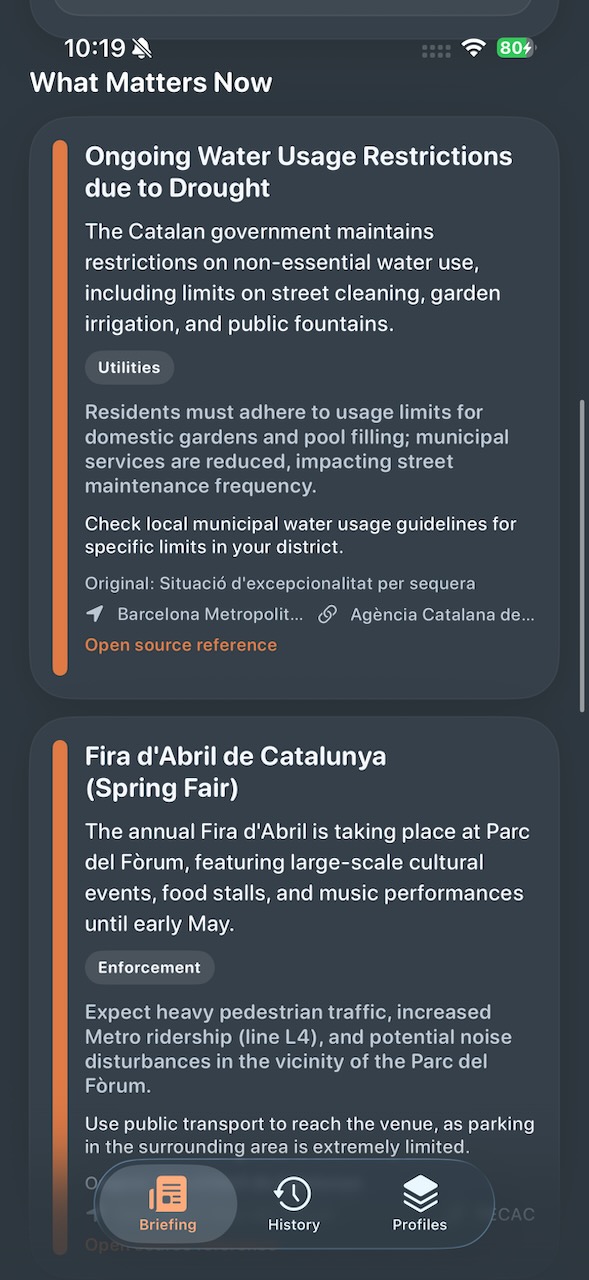
What matters now — structured detail with source reference.

What matters now — structured detail with source reference.

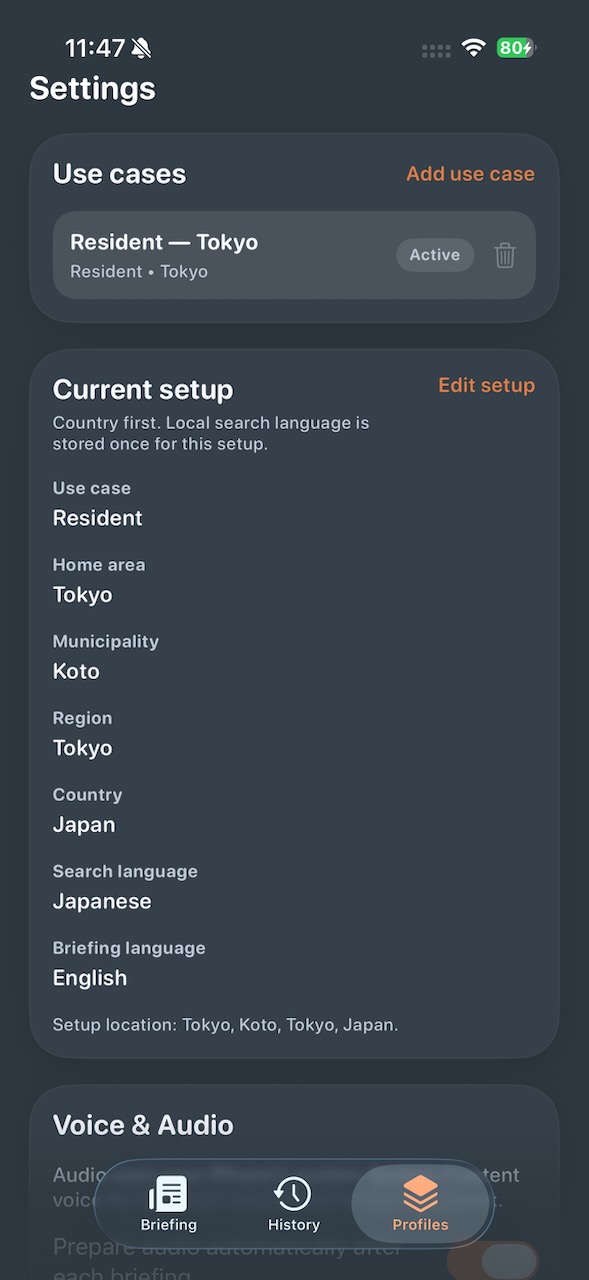
Language setup — search in Japanese, read in English.

Language setup — search in Japanese, read in English.

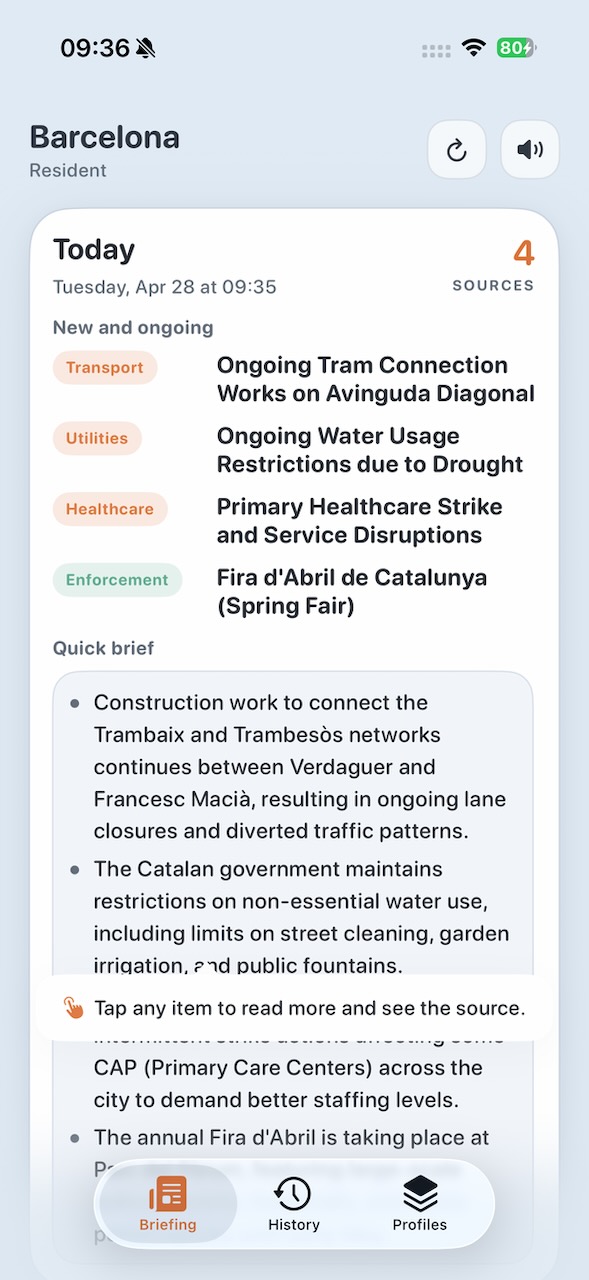
Light mode — same brief, clean contrast.

Light mode — same brief, clean contrast.

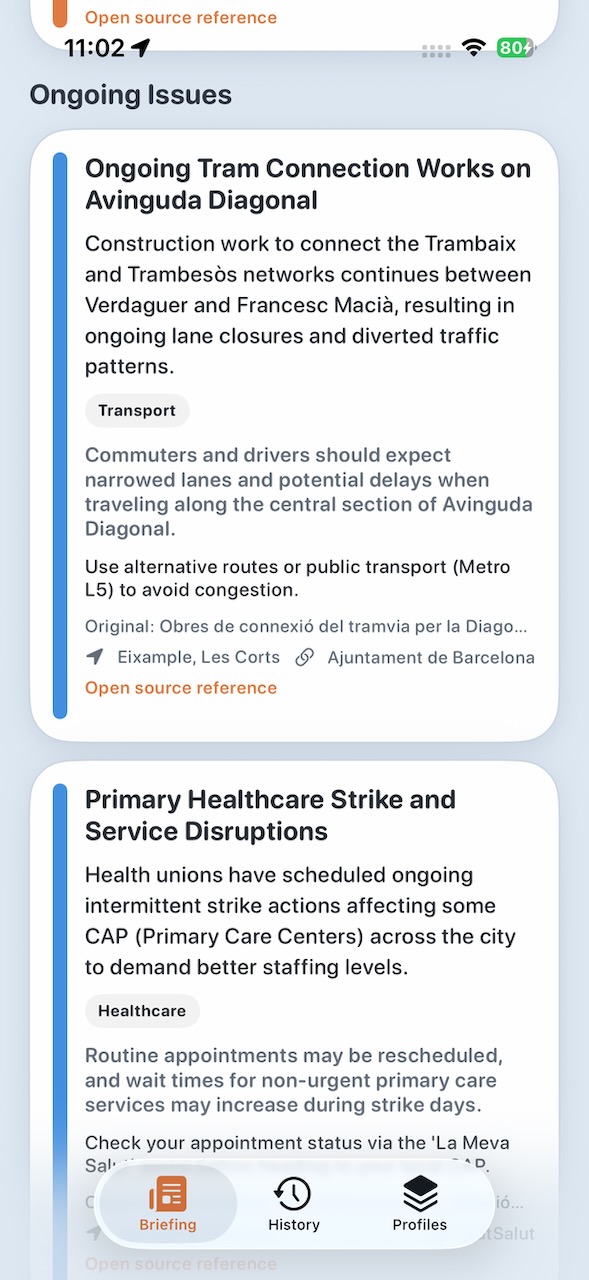
Ongoing Issues — active items tracked across days.

Ongoing Issues — active items tracked across days.

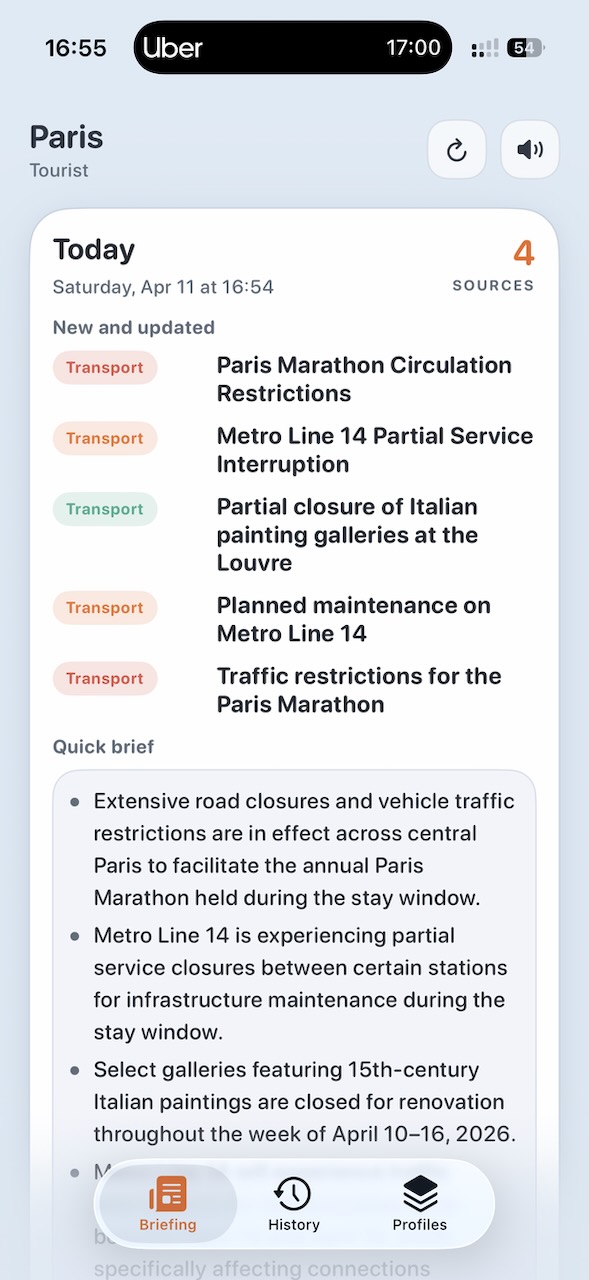
Tourist mode — Paris transport alerts in English.

Tourist mode — Paris transport alerts, searched in French, delivered in English.

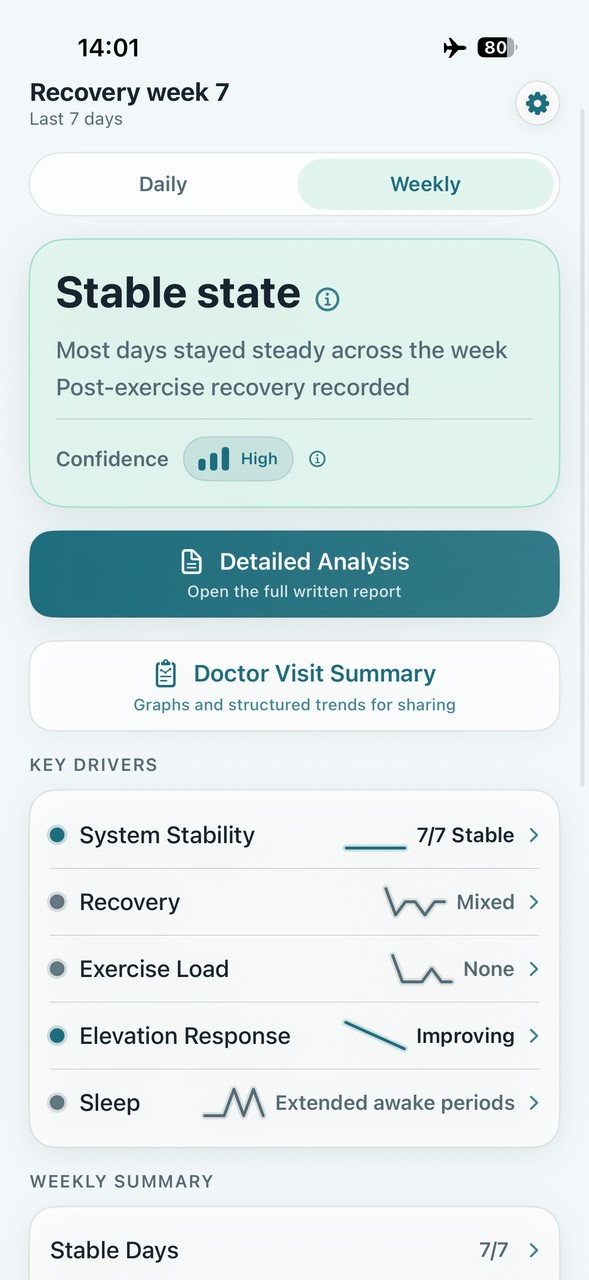
Trendwell weekly dashboard — stable state with key drivers for system stability, recovery, exercise, elevation, and sleep

Weekly view — stable state with key drivers across system stability, recovery, exercise, elevation, and sleep.

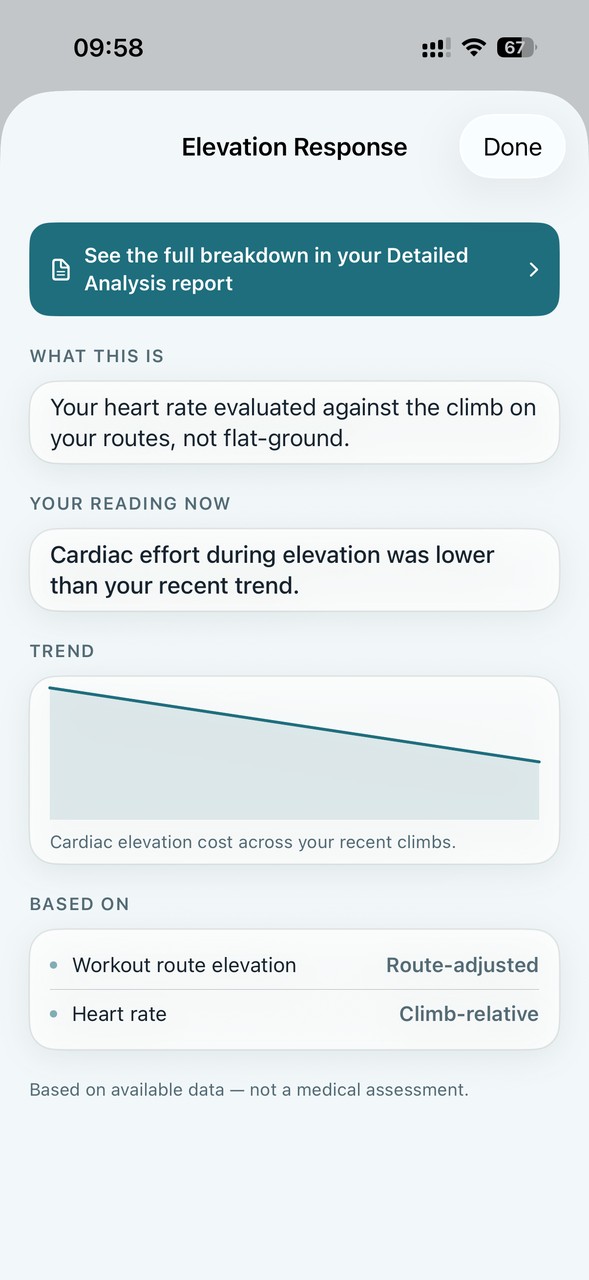
Trendwell Elevation Response detail — heart-rate response compared with route elevation

Elevation Response — heart-rate response viewed against route elevation, not flat-ground effort.

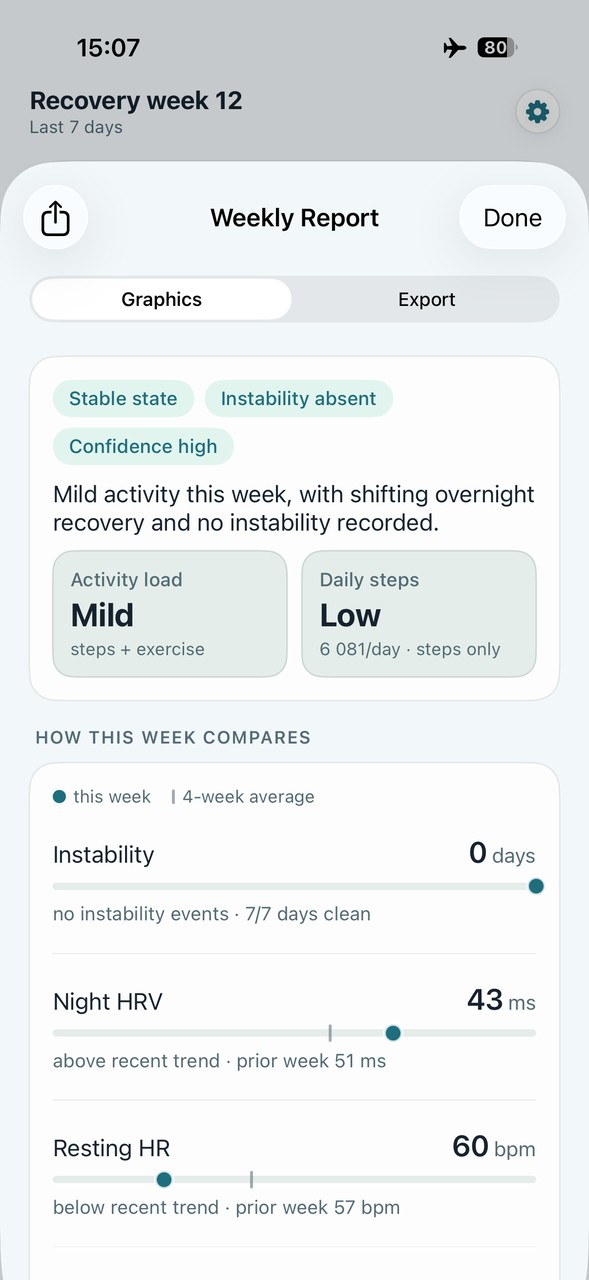
Trendwell Weekly Report graphics — instability, HRV, resting heart rate, and activity compared with recent weeks

Weekly Report — instability, night HRV, resting HR, and activity compared with recent weeks.

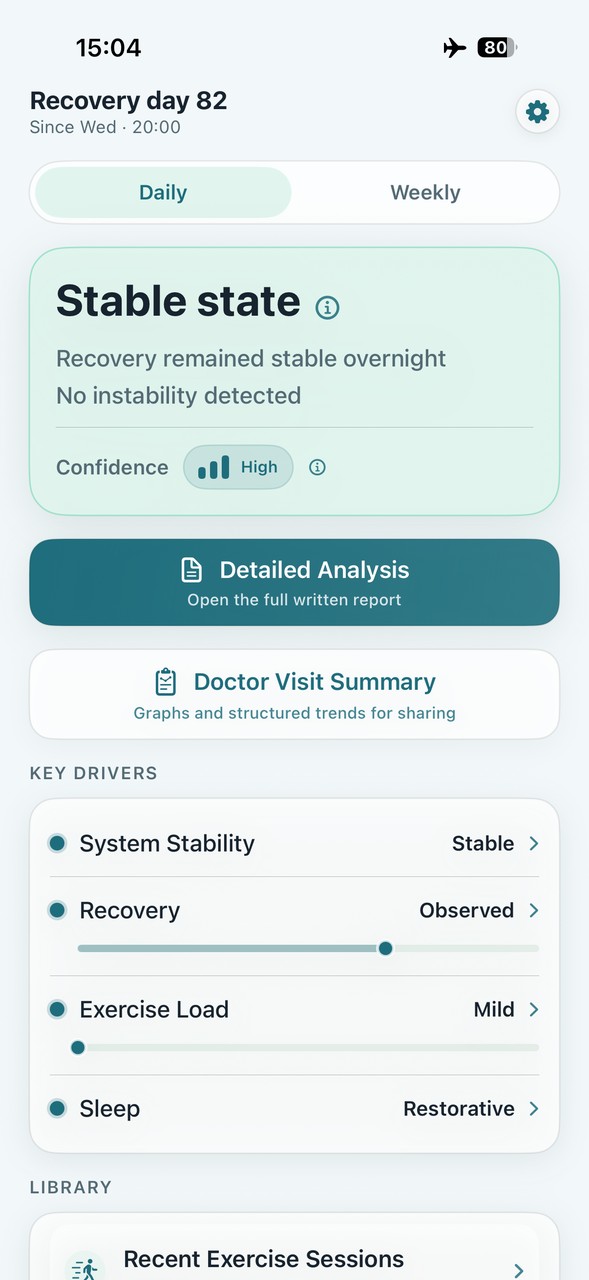
Trendwell Recovery day 82 — stable state, no instability detected, confidence high

Day 82 — stable state, no instability detected, and key drivers across the full recovery window.

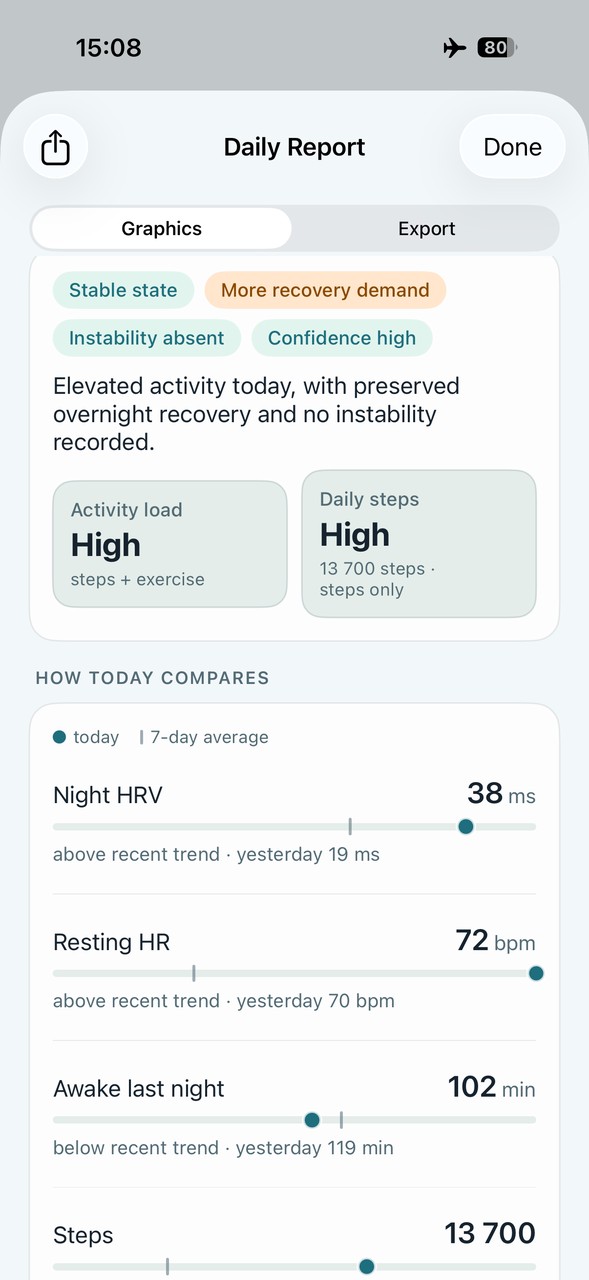
Trendwell Daily Report graphics — daily load, steps, night HRV, resting heart rate, and awake time

Daily Report — today's load, steps, night HRV, resting HR, and awake time compared with recent days.

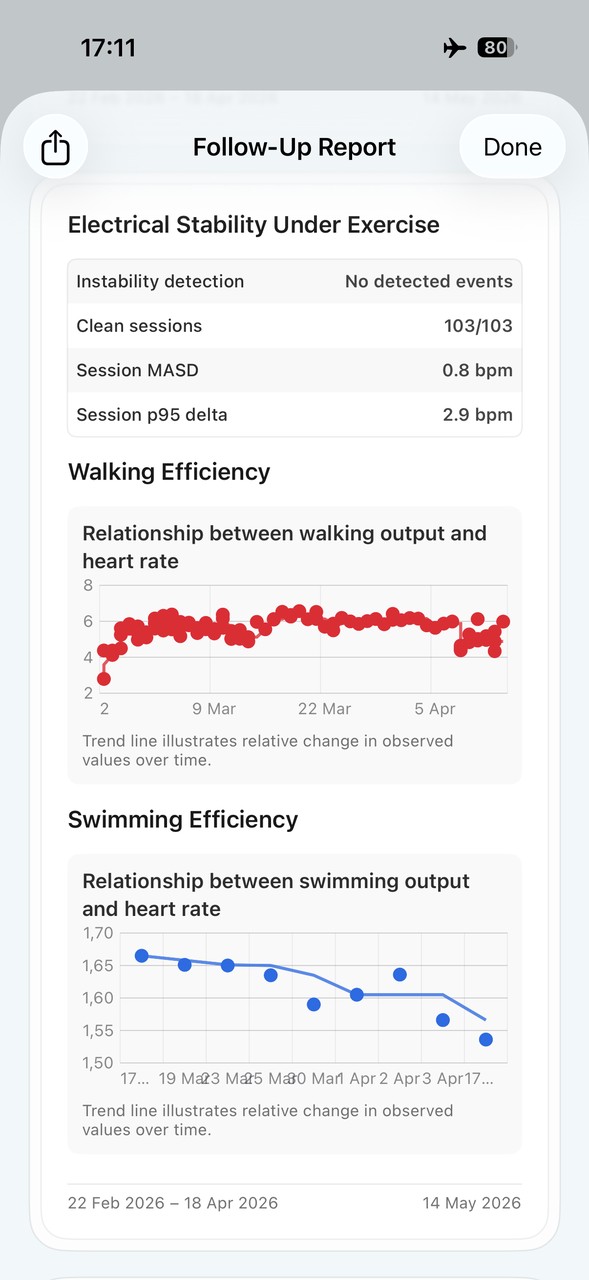
Trendwell Follow-Up Report — electrical stability under exercise and walking and swimming efficiency charts

Follow-Up Report — electrical stability and exercise-efficiency trends across recorded sessions.

Trendwell

Health trends,
not isolated metrics.

Trendwell turns available Apple Health data into structured daily and weekly summaries of how your body is responding. Instead of focusing on isolated metrics, it evaluates direction, stability, and pattern over time. No scores. No coaching. No targets.

Heart rate, HRV, sleep and activity are organized into consistent daily and weekly interpretations, highlighting recorded patterns over time. Exercise is evaluated in context — heart rate against terrain and elevation, not as an isolated number. Supported instability findings depend on eligible recordings, with coverage and data-quality limits kept visible. The output is a structured summary designed for review and comparison over the reporting period.

A Recovery Start Date gives tracking a personal reference point. You can choose a procedure date or another period you want to review. Existing Apple Health history may support reports, but the setting does not create missing measurements or guarantee complete history. Daily and Weekly reports still have their own reporting windows.

State, not score

Stable, variable, or shifted — described before any raw detail. No arbitrary number between 0 and 100.

Elevation-aware heart rate — because uphill is different

Recorded heart-rate patterns are viewed alongside route elevation, so terrain remains part of the context.

Instability findings and coverage

Supported findings are based on eligible recordings. Missing samples and coverage limits remain visible.

Weekly consistency — not just today

State consistency is tracked across the full week — stable 7 of 7 days, or where variability occurred and when. Not just a single daily snapshot.

Deterministic — same input, same output

Trendwell's classification is entirely rule-based. The same health data always produces the same structured output — no random scoring, no model variance, no drift over time. Every conclusion is directly traceable to the source values that produced it. This makes comparing across time meaningful: a shift in classification reflects a real change in the data, not a change in the model's interpretation. The structured, labelled output is compatible with external analysis tools and designed to remain consistent across the full observation window.

Requires iPhone with iOS 18.6 or later. Apple Watch recommended for complete reports — wear it consistently, including during sleep.

Based on available data — not a medical assessment.

Selected projects

Open tools. Practical workflows.

Make existing information more useful, with the source, permissions and limitations kept visible.

Explore all projects →

Featured project · MIT licensed

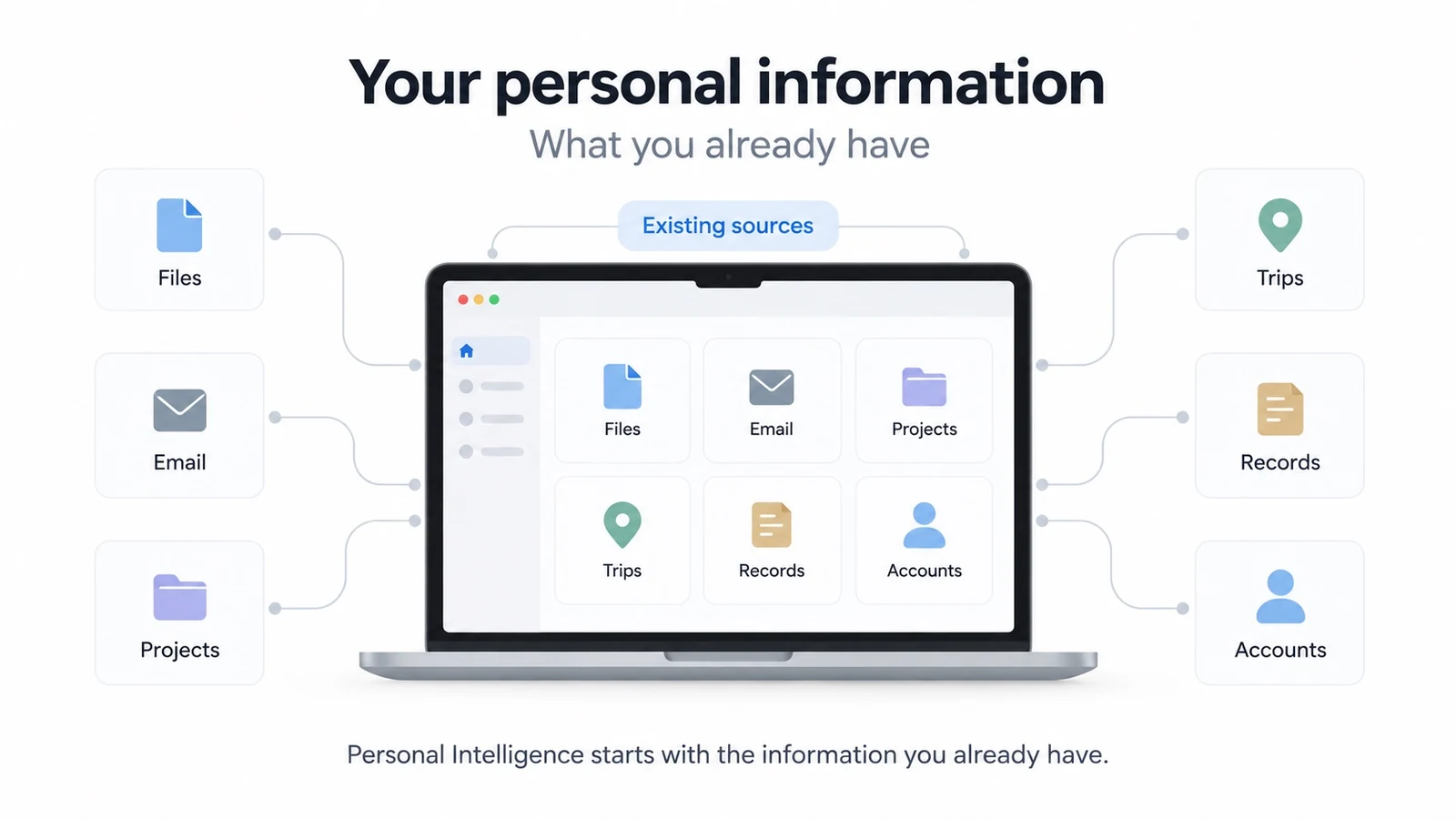
Personal Intelligence

Make your existing information usable.

Give your assistant a structured way to find the right source, understand its authority and answer from evidence.

Existing sources. Evidence and citations. Your own source map.

The Klarhet method

Raw signal in.
Structured clarity out.

01

Start with the source

Local reporting, Apple Health, home sensors, chosen GPX tracks or the exact cards on the table.

02

Apply clear rules

Bounded logic for the job at hand. No hidden score and no changing interpretation of the same input.

03

Make it understandable

A briefing, a trend, one home action, the next turn or a solvable challenge.

04

Respect the boundary

Useful context without pretending certainty, collecting unnecessary data or turning the user into the product.

For leadership teams

The same method, applied to business.

Klarhet Studio is also where I test a broader idea: AI becomes useful when the underlying problem, information and decision boundaries are made explicit.

I apply that same working method with CEOs and leadership teams through Claes Parflo Advisory, identifying where AI can materially change a real workflow and testing the strongest opportunity before a company commits to a larger implementation.

Explore Advisory