See the route clearly
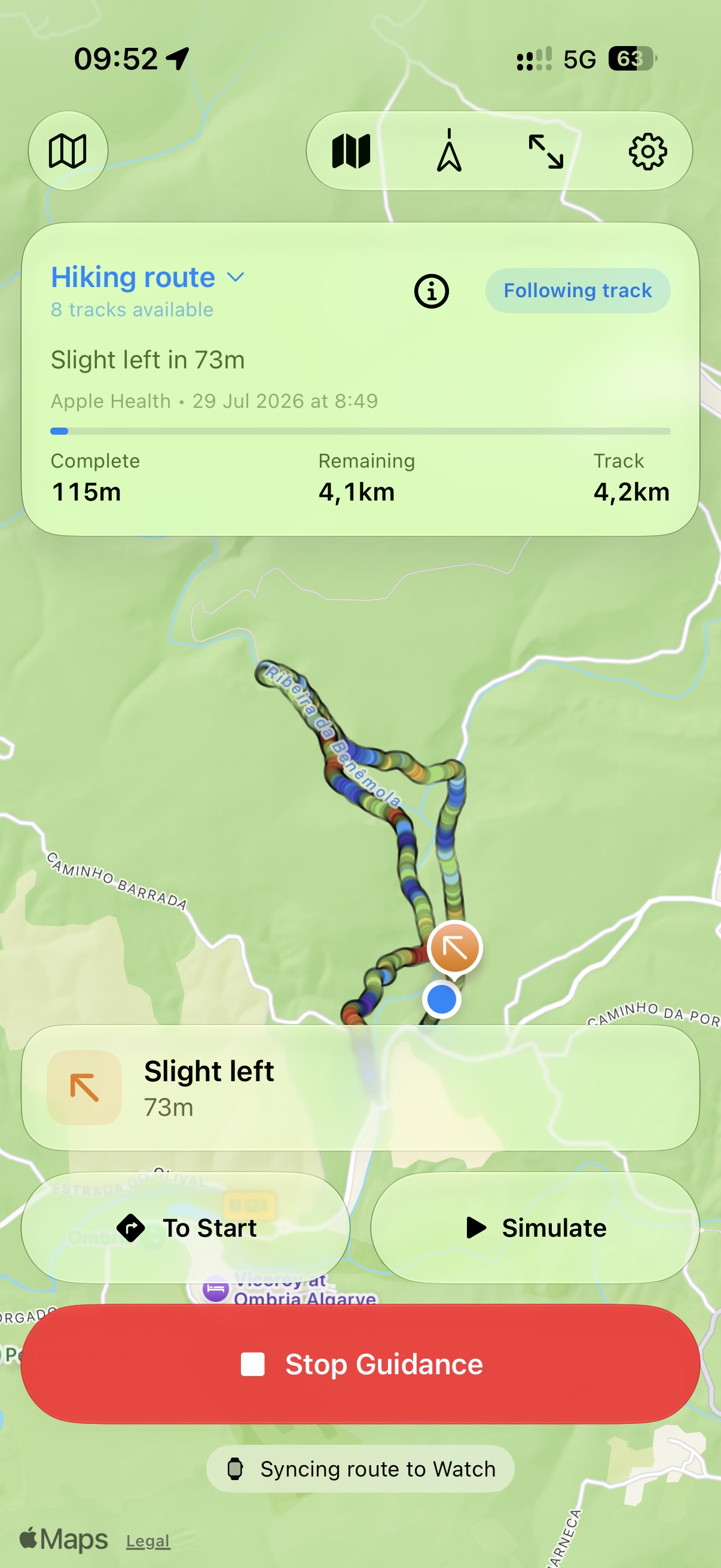
Follow your position on the track, see what is complete and what remains, and spot the next turn before it becomes a wrong turn.

GPX Track Navigator
Turn the GPX routes you trust into clear progress, elevation and track-relative guidance on iPhone and Apple Watch.
Import a GPX file, choose an eligible route from a previous Apple Health workout, or discover a GPX download from a web page, then follow the route with confidence.
Why it is different
Follow your position on the track, see what is complete and what remains, and spot the next turn before it becomes a wrong turn.
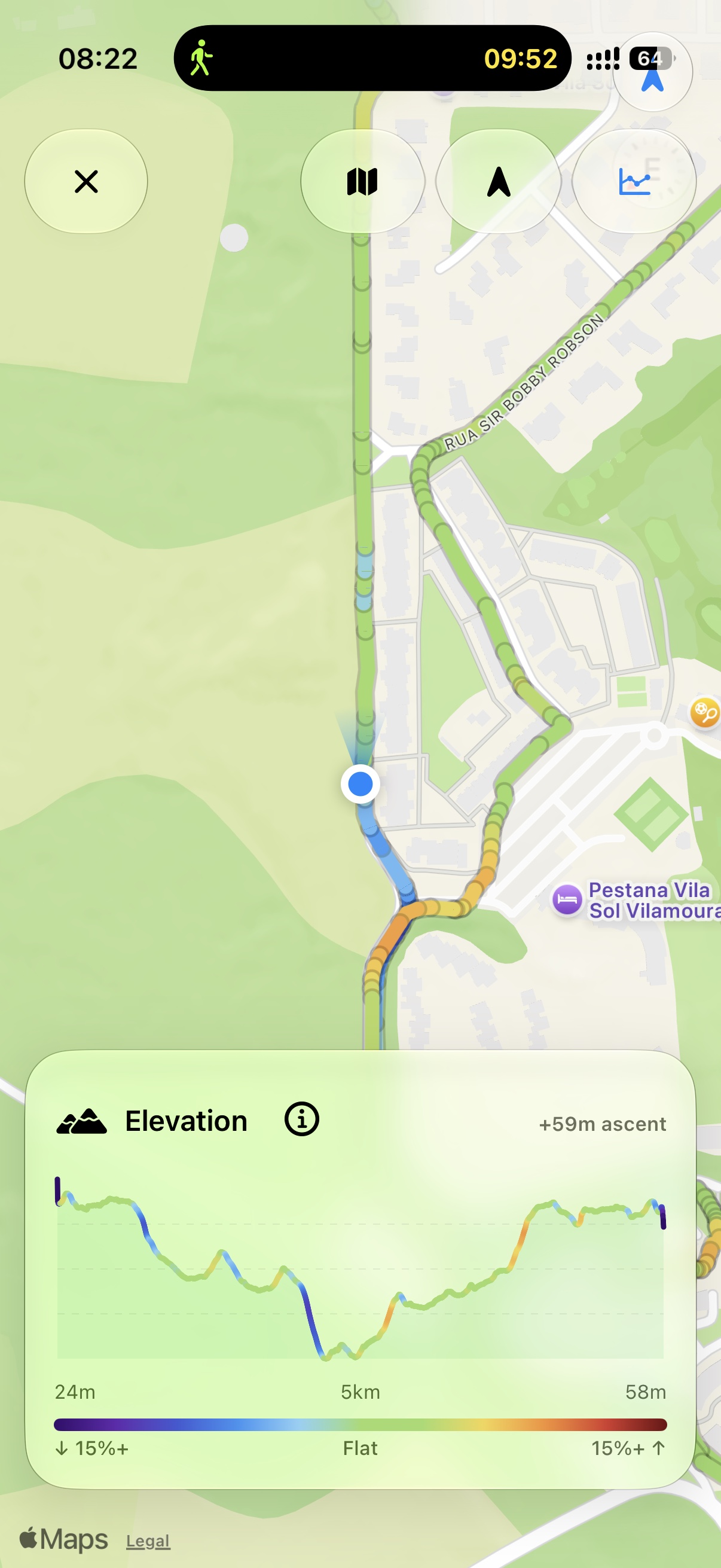
A built-in elevation profile and slope colours reveal the character of the route at a glance, from steep descent to flat ground and sustained climbing.
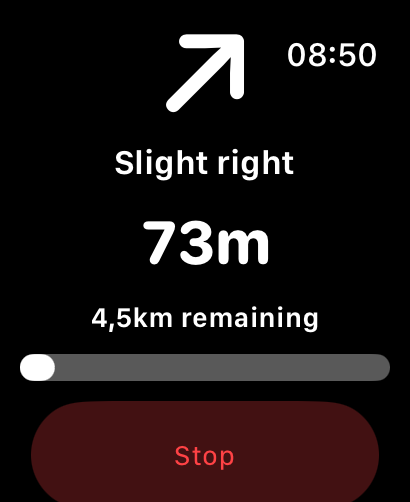
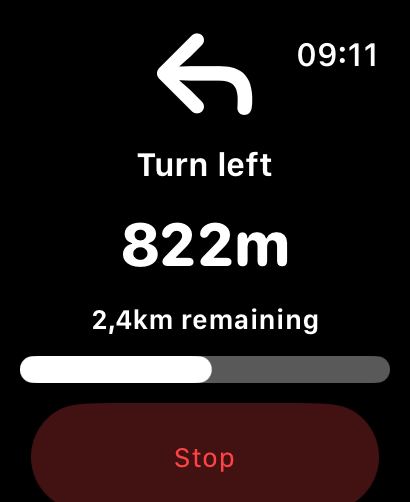
Send a chosen route to Apple Watch for local GPS guidance, turn cues, off-route feedback and haptics while you move.
Inside the app
On iPhone
Follow your position, spot the next turn and understand the elevation profile while keeping the route in view.
Apple Watch companion
Select a route, see the next turn and keep moving while your phone stays in your pocket.

Private by design
Your saved routes, workouts and live location stay private and remain on your devices.
More from Klarhet Studio
LocalBrief
Know what matters near you, in the language you read.
Trendwell
See how your health data is changing over time through structured trends and clear context.
Track-relative guidance for outdoor routes. Local signs, current conditions and your own judgement remain the final reference.